Click on the button below to log in to the CE Registration portal. You will be asked to provide your ACCeID and password.
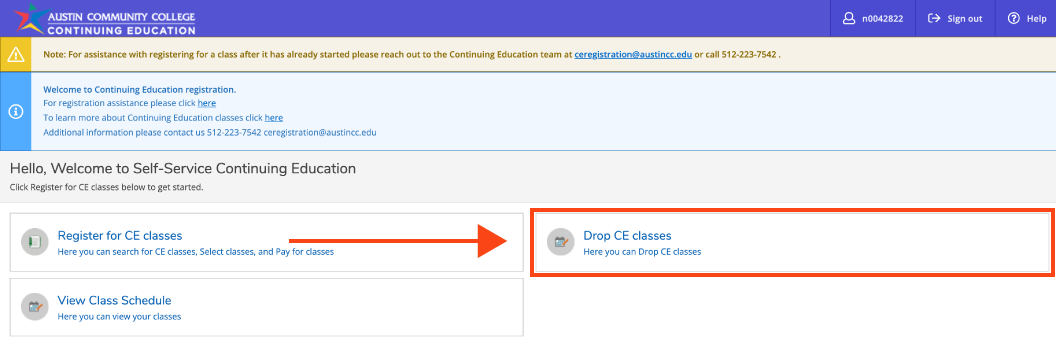
From the registration home page, select Drop CE classes button.
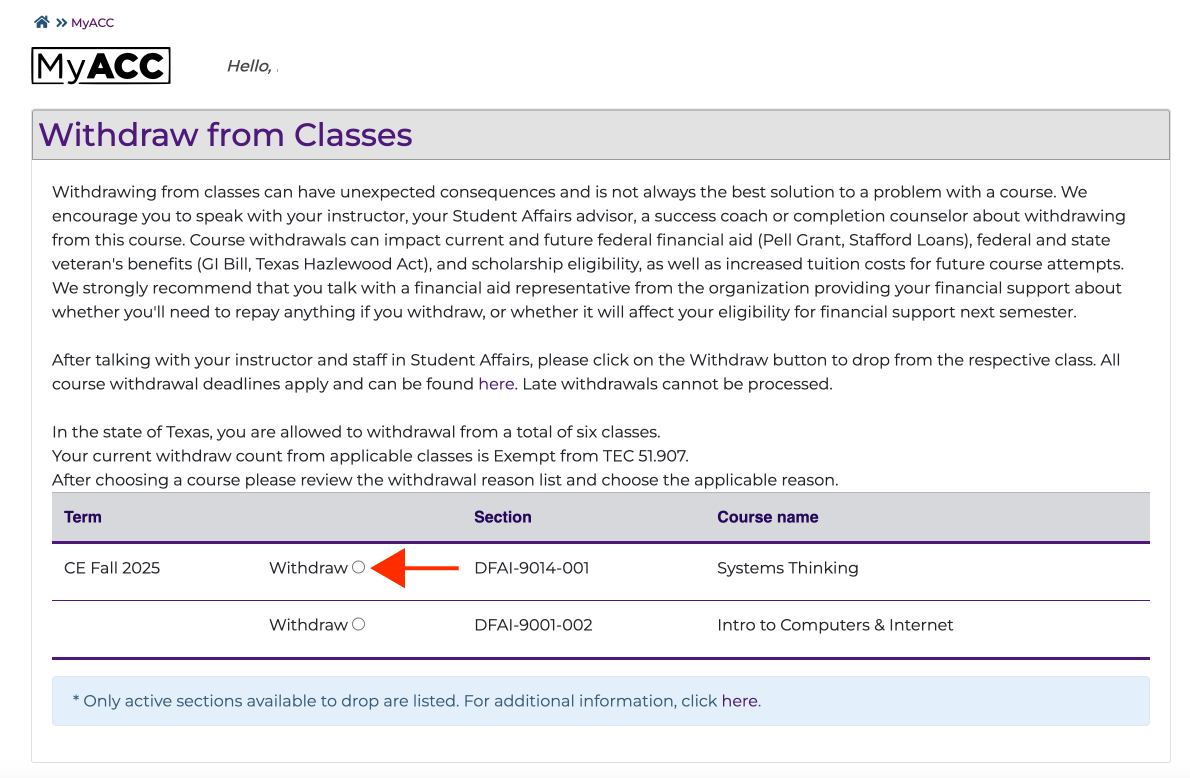
Click on the circle next to the class you would like to drop.
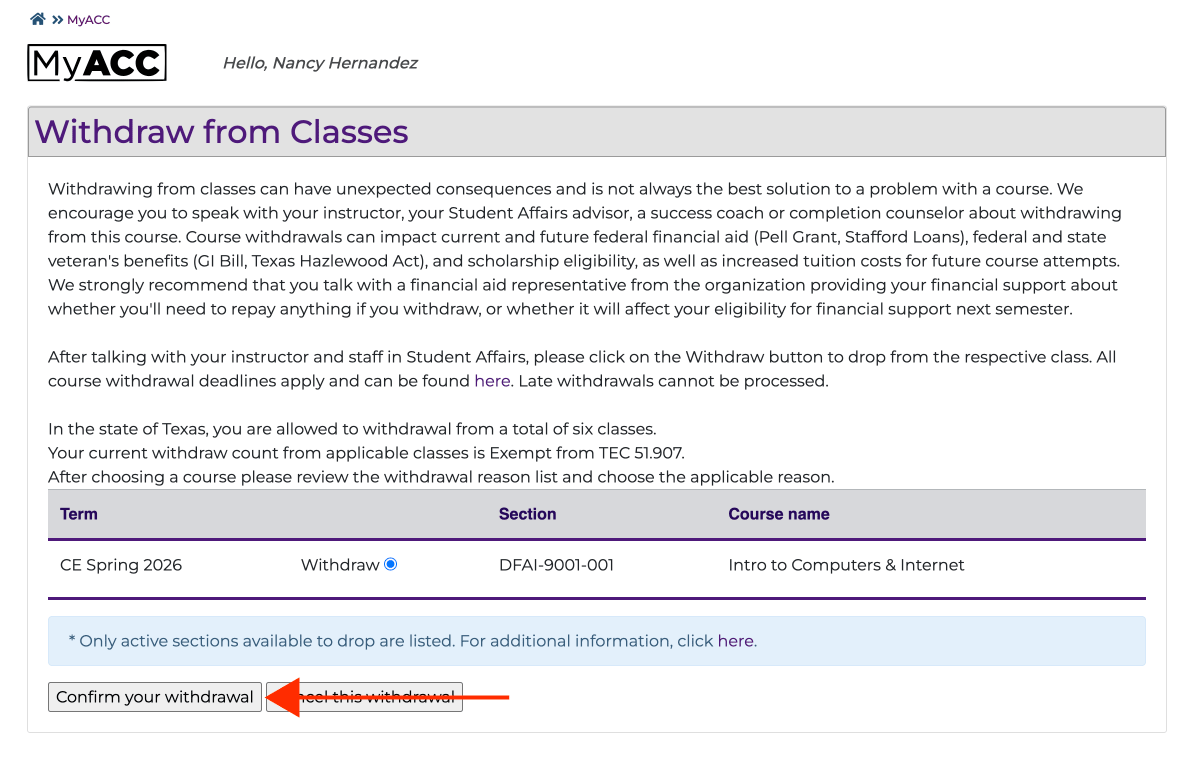
Click on confirm your withdrawl to complete the withdrawl.
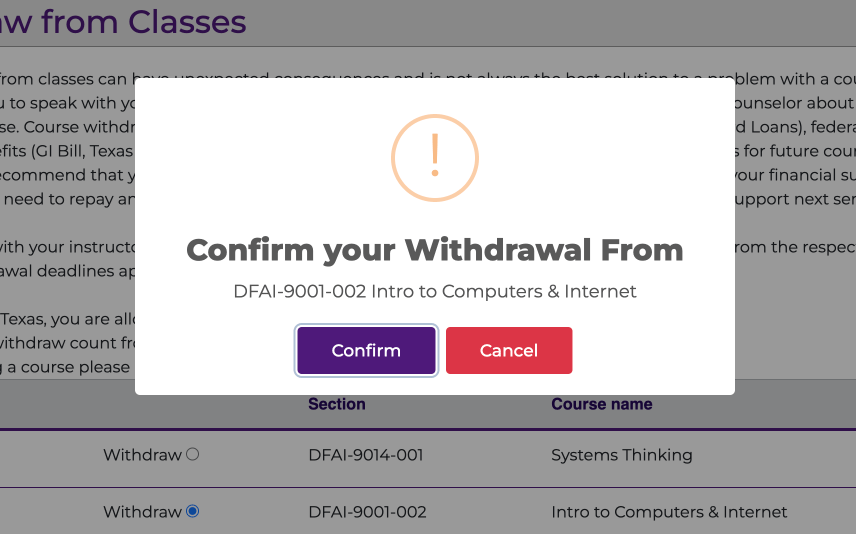
Click on confirm to finalize the drop.
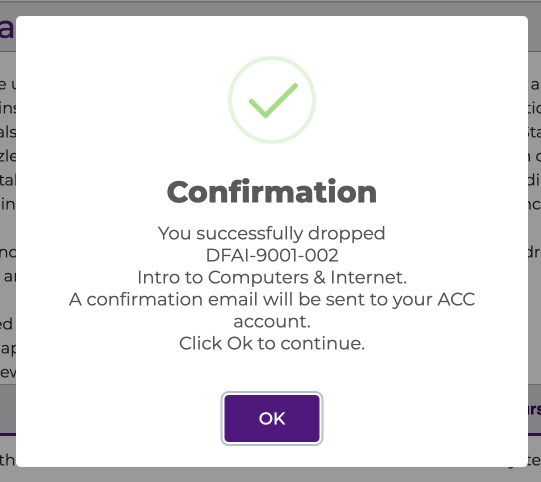
Once you have completed steps 1 to 5, you will receive a confirmation pop-up of the drop.